You buy extra domains for outreach. Visitors who click them should see your real website — not an empty page. Twins Proxy shows your site on every outreach domain, and the visitor keeps seeing that domain in the address bar. No copying your site. No manual SSL.
The address bar keeps getcompany.com. The visitor never gets bounced to your main domain.
Teams buy extra domains to keep outbound separate from the main company domain. Then someone clicks the link.
A blank page, a parked page, or a registrar holding screen. The message looked real. The website does not.
Without a certificate for that exact domain, the browser shows a warning. Most people leave right there.
A basic forward jumps the visitor to your main domain. The address they clicked disappears.
Rebuilding and hosting the same website on 20, 50, or 200 domains means 20, 50, or 200 things to keep updated and secure.
Twins Proxy sits between your outreach domain and your real website. When someone opens the outreach domain, we fetch your real page and serve it under that domain, over a secure connection, using a certificate issued for that exact name. Your website stays in one place. You never clone it.
Type the outreach domain you already own and choose the website it should show. That website can be your main site or any page you control.
Connect Cloudflare, AWS Route 53, DigitalOcean, GoDaddy, or ClouDNS and the records are created for you. Using another provider? We show the exact records to copy and check them for you. The SSL certificate is issued and renewed automatically.
We only mark a domain live after a real request comes back healthy. After that we keep watching it and tell you if anything breaks.
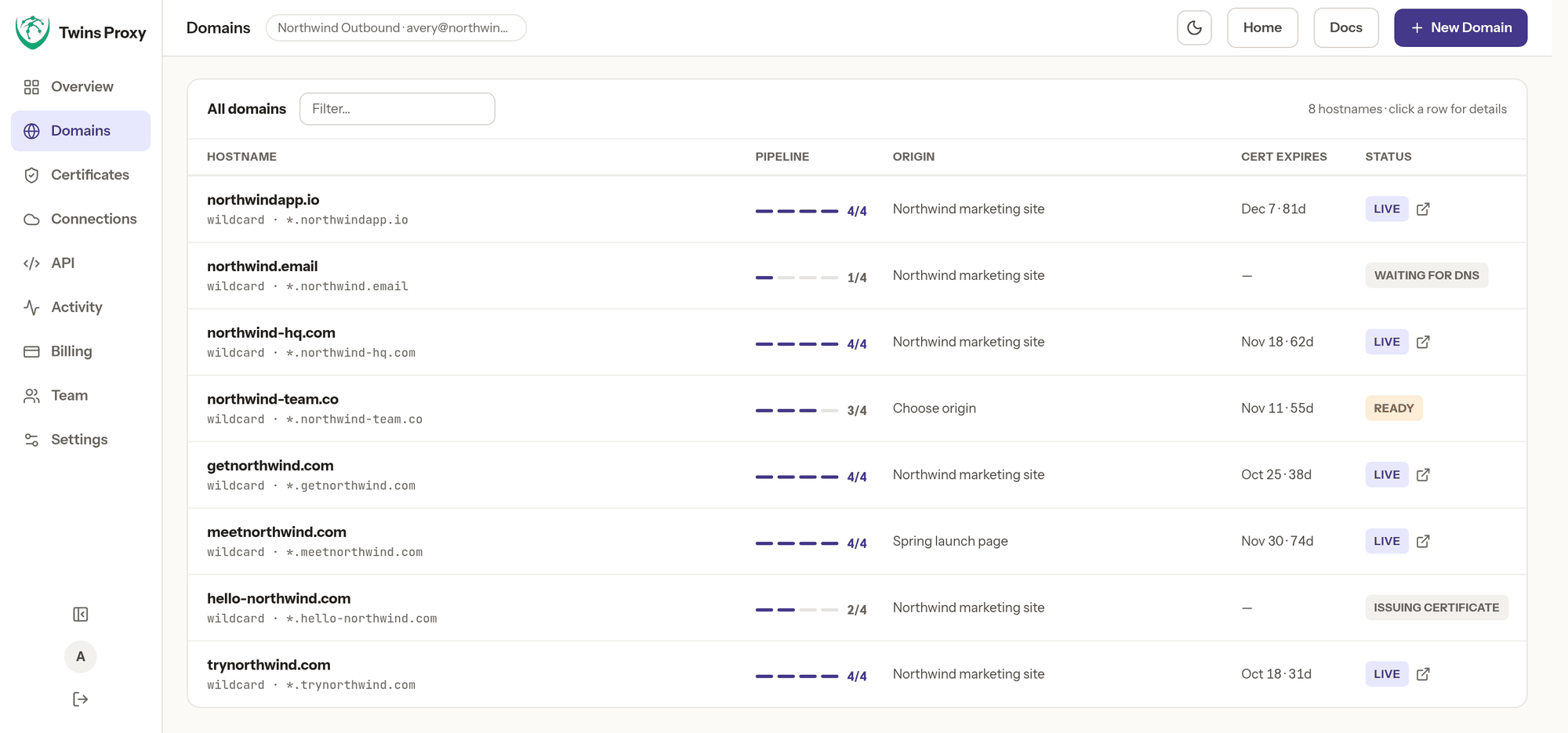
Each row shows how far through setup a domain is, which website it points at, when its certificate expires, and whether it is serving right now. Open a row for the DNS records, the full provisioning history, and the hostnames it answers on.
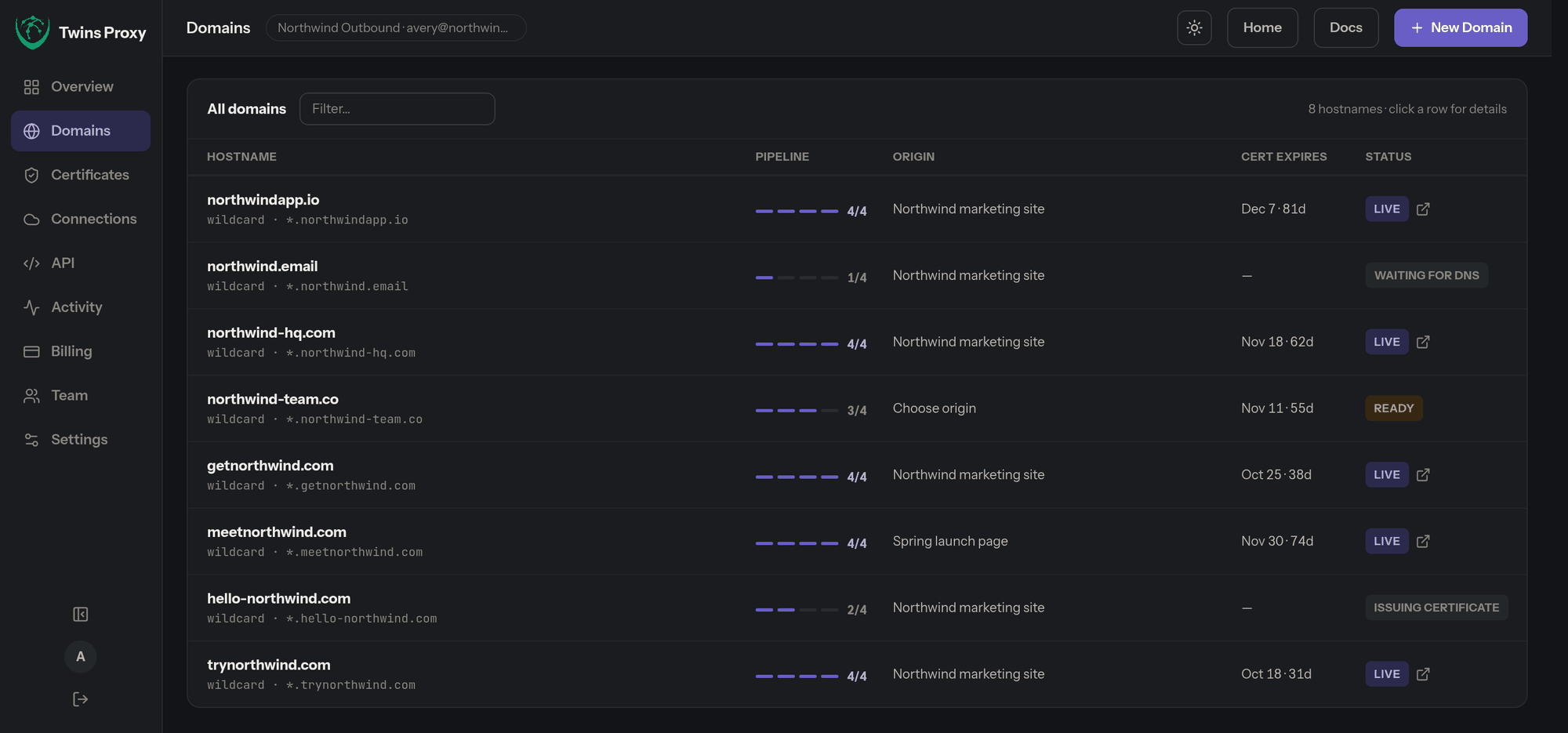
Every domain in your campaigns opens a real, secure website with your branding — the same one your customers already trust.
No hosting to set up, no site to duplicate, no certificate to buy or renew. Adding a domain takes minutes, and you can add many at once.
Change your real website and every masked domain shows the change immediately. There is only ever one copy to maintain.
We read your website like any visitor does. We do not need access to your hosting, your CMS, or your main domain's DNS.
New masked domains ask search engines not to index them, so they do not compete with your real website. You can allow indexing per domain.
Certificates, DNS, and domain health are checked continuously, with clear status on every domain and email warnings when something needs you.
Run separate domain sets per client, invite your team into one workspace, and add domains in bulk instead of one at a time.
Keep outbound domains separate from the company website without asking engineering for hosting or certificates.
Start with one domain free. Add more when campaigns grow, and cancel or change plan whenever you want.
Do everything over a REST API with scoped keys, or run the traffic on your own servers if you would rather own that layer.
This is the difference most people miss when they set up outreach domains.
The domain you put in the message disappears before the page finishes loading.
Same website, same content — served under the domain the visitor actually clicked.
| What the visitor experiences | Ordinary redirect (301/302) | Twins Proxy masking |
|---|---|---|
| Address bar after clicking | Changes to your main domain | Stays on the domain they clicked |
| Certificate needed for that domain | Still needed, or the browser warns first | Issued and renewed automatically |
| Setup for each new domain | Registrar forwarding, repeated by hand | Add the domain, DNS and SSL handled for you |
| Keeping content in sync | One site, but the domain is exposed | One site, and the domain stays visible |
| Effect on your search rankings | Depends how the redirect is set up | Masked domains ask not to be indexed by default |
Want the longer explanation? Read domain masking vs domain forwarding.
Cloudflare, AWS Route 53, DigitalOcean, GoDaddy, and ClouDNS set themselves up. Any other provider works too — we show the records and verify them.
A wildcard certificate covers your domain and its subdomains, renews on its own, and never costs extra.
Add a single record once, on any registrar. First issue and every renewal after it run without you.
Let's Encrypt, ZeroSSL, or Google Trust Services, per domain — with automatic failover if one is rate-limited.
Define a website once and point any number of domains at it. Change where a domain points without downtime.
Pick several zones from your DNS account at once and set them all up with the same settings in one pass.
Create and manage domains from your own tools. Keys are limited to the permissions you choose and can expire.
Invite colleagues into a shared workspace. They manage domains; billing and member control stay with the owner.
Requests and bandwidth per domain, on your dashboard, so you always know what each campaign is using.
On the Freedom plan, a one-line installer turns your own machine into the server that handles the traffic.
Already bought a certificate? Import it. On Freedom you can export certificates and keys again whenever you want.
If your website sits behind a firewall or bot protection, give the proxy a custom header or user agent so your own rules can allow it.
Connecting a DNS provider means trusting us with a key to your domains, so we treat that seriously. Provider credentials are encrypted before they are stored and are never included in exports. You choose how people sign in, you can see every change anyone made, and you can take your data out or delete the whole workspace yourself, without asking us.
Every plan includes SSL certificates, DNS automation, monitoring, and the API. Billed monthly, change or cancel any time. Prices are in US dollars and exclude tax.
Traffic crosses our infrastructure, so each plan caps it.
Traffic never touches us, so there is nothing to meter.
Both plans DNS, certificates, routing, and monitoring run on our control plane. That is the part you pay for.
Because you bring the infrastructure. On Free, Basic, and Pro we serve your masked domains from our servers, so we pay for the bandwidth and cap it per plan. On Freedom you run a one-line installer on your own machine, and your server handles the traffic. That is why there is no traffic limit and no practical domain limit — you are paying for the control plane that automates DNS, certificates, and routing, not for bandwidth. Freedom includes 2 of your own servers; more are $7/month each. Fair use is a ceiling to stop runaway automation, not a normal limit.
Add-ons work on any paid plan: 10 extra domains for $15/month, 100 GB extra traffic for $8/month, an extra Freedom server for $7/month, and a dedicated IP address for $25/month. Traffic limits are monitored rather than cut off — we contact you before anything stops.
Domain masking shows the content of one website under a different domain name. A visitor opens your outreach domain, sees your real website, and the outreach domain stays in the address bar. Nothing is copied or rebuilt — the page is fetched from your real site and served under the other name.
A redirect sends the visitor somewhere else, so the address bar changes to your main domain. Masking serves the page under the domain the visitor typed, so the address bar keeps showing that domain and the connection stays secure with a certificate for that exact name.
No. You point as many domains as you like at one website address. When you update your real site, every masked domain shows the update straight away because there is only one site.
No, not by default. Every new masked domain sends a noindex signal on every response, so search engines are asked not to index it. You can turn indexing on per domain if you want it.
We do not claim that. Masking is about what a visitor sees when they click a link: a real, secure page on the domain in the message instead of an empty or broken site. Inbox placement depends on your sending practices, authentication, list quality, and content — things that happen in email, not on the website.
All of them. Twins Proxy works on domains you already own and does not require buying mailboxes from us. It sits at the website layer, so your sending platform, mailbox provider, and warm-up tools are unaffected.
No. Connect Cloudflare, AWS Route 53, DigitalOcean, GoDaddy, or ClouDNS and the DNS records are created for you. If you use another provider, the dashboard shows the exact records to copy, and checks them for you before the domain goes live.
One masked domain with a wildcard SSL certificate, automatic renewals, DNS setup help, and monitoring. No card is required. More questions are answered here.
Add a domain you already own and see it serving your real website in minutes. No card required.
Mask your first domain free → Twins Proxy